Posts

SPFx - Using FilePicker and FileTypeIcon control

Image
Hi Friends, this is a series of the post explains different capabilities of the web part using SPFx. Using DateTime control PropertyFieldCollectionData Property Pane Control Using FilePicker and FileTypeIcon control --> You are here Office UI Fabric react DetailsList & PropertyFieldCodeEditor to show the JSON data Office UI Fabric react DetailsList & PropertyFieldCodeEditor to show the CSV data In this post, I am gonna show you how you can leverage on the FilePicker and FileTypeIcon control from PnP Reusable controls on web parts. The code reference shown below will add the file as an attachment to the item in a SharePoint list called ' Demo ', which has only the ' Title ' field. Regarding the basic creation of the project and other stuff, please refer to my previous blog post . I hope those who are familiar with SPFx would know how to create the project and add the dependent npm packages. The following are some of the pre-requisites for the sol...

SPFx - Using DateTime control PropertyFieldCollectionData Property Pane Control

Image
Hi Friends, this is a series of the post explains different capabilities of the web part using SPFx. Using DateTime control PropertyFieldCollectionData Property Pane Control --> You are here Using FilePicker and FileTypeIcon control Office UI Fabric react DetailsList & PropertyFieldCodeEditor to show the JSON data Office UI Fabric react DetailsList & PropertyFieldCodeEditor to show the CSV data In this post, I am gonna show you how to use the  DateTimePicker  control as 'CustomControl' type in the PropertyFieldCollectionData  property pane controls. Many of them are aware of Reusable property pane controls  and Reusable React controls  that are available to us to use in our SPFx solutions. Thanks to the PnP Team and the Community Members for such great contributions. We are gonna look into one of the property pane controls called PropertyFieldCollectionData which is very much used to maintain a list/collection of data within the web p...

Performance Tool–SharePoint Online (Page Diagnostic Tool)

Image
Hi Friends, today I would like to introduce you to the new Performance tool available for SharePoint online. This is a great tool which helps us to measure different aspects to optimize or normalize our development mode to provide a 100% quality to the custom development that we made on SharePoint. The most important is that it is available as Chrome Extension which makes easier for developers to use to analyze the page before publishing it to the end user. The tool can be used to measure the following How fast pages load How many round trips required per page Issues with the service Other things that cause performance degradation This is to give a small introduction about the tool and what it delivers. Detailed information of the tool can be found in the following link. Page Diagnostic Tool for SharePoint Online Cheers…

SharePoint Add-In: Frequently Asked Questions (FAQ)

Image
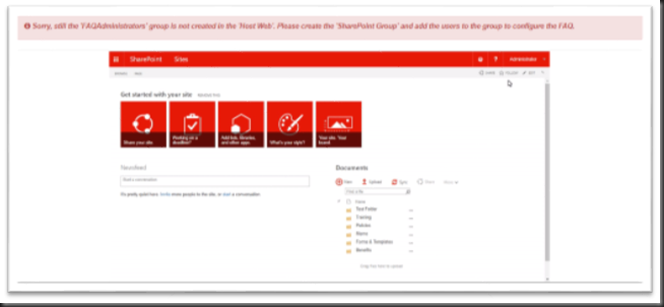
In this post, we will see the FAQ Add-in which is published to SharePoint App Store. The FAQ (Frequently Asked Questions) plays a pivotal role in all the organization to support different levels of users with daily operations, protocols, policies and others. This FAQ add-in is to support the Organization’s using SharePoint as a primary or secondary platform. The add-in uses the default SharePoint authentication and authorization. The questions and answers lists can be stored either in App Web or Host Web. Bodacious add-in features: Easy configurations for the SharePoint administrators. Separate administrator dashboard is available for the configuration and maintenance of the FAQ. Configure where your content is stored either in App Web or Host Web. Autocomplete search for Questions. The answers to the questions can be Enhanced Rich HTML Content. Categorized search for Questions and Answers. Most popular and latest questions on the Dashboard. Copy link to the Q&A to ...

SharePoint Chrome Control

Image
Hi Friends, today lets talk about the ‘Chrome Control’ in SharePoint Add-in. I hope you all aware of the name change that Microsoft had brought for SharePoint Apps which is now represented as ‘Add-In’. Don’t be scared about the control, this is nothing but the SharePoint Bar which is termed as Chrome Control. Whether it is SharePoint on-premise or SharePoint online the SharePoint Bar will have some links, settings icon, help icon. Also, the app site will have the ribbon control with the link to the parent site and other stuff. This best part of the chrome control is the client-side rendering where it is rendered based on the options and the use of ‘SP.UI.Controls’ js file which we will see later in this post. By default, when you create a SharePoint Hosted Add-in the default.aspx it will inherit from the ‘default.master’ which has the chrome control added. There are so many ways in which SharePoint Add-in can be developed and it is not mandatory that .aspx file should be the start pa...

Deprecated features in SharePoint 2013

Hi SharePoint friends , I hope you all enjoyed my last post on “ Authentication & Authorization ”. In this post I will discuss about the features that have been removed in SharePoint 2013 which was available on SharePoint 2010. Visual Upgrade: You could use this feature to upgrade from MOSS 2007 to SharePoint 2010 to give Site Collection Owner and Site Owner to preserve the existing user interface temporarily while still upgrading the infrastructure, content databases, site collections and features to the latest version. Now this feature is replaced with “ Deferred Site Collection” upgrade which is considered as more comprehensive upgrade process than visual upgrade. Visual Upgrade preserved only the master pages, CSS files and the HTML files but the Deferred Site Collection upgrade with preserve much more including SPFeature functionality. With the deferred site collection upgrade you can use the UI feature from the previous version more seamlessly than with the visual ...

Authentication and Authorization in SharePoint 2013

Hi SharePoint friends , Today I am going to give u a short and sweet about the authentication and authorization in SharePoint 2013 and the improvements in SharePoint 2013. The contents available in this post are taken various sites and MSDN. What is authentication in SharePoint? It is a provider that validates the users identity who request access to the web application, Once validated it issues the authenticated user a security token that encapsulates a set of claims based assertions about the user and is used to verify a set of permission assigned to the user. What is authorization in SharePoint? It is the process that determines the defined operation on a specified resource within the web application of the authenticated user. I think you are very clear about the authentication and authorization concept in SharePoint. The following are the recommended methods of authentication in SharePoint 2013 Windows claim Security Assertion Markup Language (SAML)-based claims Form-...