Posts

Showing posts with the label SharePoint Framework

Using React Context API in SPFx
Image
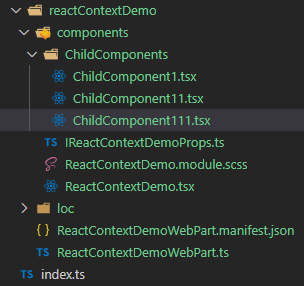
Introduction   Hi friends, this blog post will guide you through the usage of  Context API  which is one of the new features introduced in the latest version of React   in SPFx projects .  What is React Context and When to use it In a normal React application, the properties are passed top-down from parent to child and then to the grandchild via props. It works great in simple react applications, but this will be very tedious for complex applications.  Context  provides us an easy way to share the props without having them pass through all the intermediate components.  Context  should be primarily used when the properties must be accessible by many components at different nesting levels. We must apply it with cautious because sometimes it makes the reuse of the components more difficult. How can we use it in SPFx?   I hope many of you are aware of the SPFx development model, where we might need to pass the properties that are captured ...

SPFx - Office UI Fabric react DetailsList & PropertyFieldCodeEditor to show the CSV data

Image
Hi Friends, this is a series of the post explains different capabilities of the web part using SPFx. Using DateTime control PropertyFieldCollectionData Property Pane Control Using FilePicker and FileTypeIcon control Office UI Fabric react DetailsList & PropertyFieldCodeEditor to show the JSON data Office UI Fabric react DetailsList & PropertyFieldCodeEditor to show the CSV data  --> You are here In this post, I am gonna show you how we can use  DetailsList   from  UI Fabric  and  PropertyFieldCodeEditor  property pane control from PnP on the SPFx web parts. The code walkthrough shown below will display the ' CSV ' data in the DetailsList. Regarding the creation of the basic project stuff, please refer to the  blog post . I hope those who are familiar with SPFx would know how to create the project and add the dependent npm packages. The following are some of the pre-requisites for the solution to work. Used  S...

SPFx - Office UI Fabric react DetailsList & PropertyFieldCodeEditor to show the JSON data

Image
Hi Friends, this is a series of the post explains different capabilities of the web part using SPFx. Using DateTime control PropertyFieldCollectionData Property Pane Control Using FilePicker and FileTypeIcon control Office UI Fabric react DetailsList &  PropertyFieldCodeEditor to show the JSON data --> You are here Office UI Fabric react DetailsList & PropertyFieldCodeEditor to show the CSV data In this post, I am gonna show you how we can use  DetailsList   from UI Fabric and PropertyFieldCodeEditor  property pane control from PnP on the SPFx web parts. The code walkthrough shown below will display the ' JSON ' data in the DetailsList. Regarding the creation of the basic project stuff, please refer to the  blog post . I hope those who are familiar with SPFx would know how to create the project and add the dependent npm packages. The following are some of the pre-requisites for the solution to work. Used  SharePoint Yeoman...

Enhanced commenting webpart using SPFx

Image
Hi Friends, today I am gonna show you one of the SPFx components developed by me. I hope, all the SharePoint users and developers are aware of the comment box in the modern page. The comments are tied to the page and are stored as metadata to the page. There are some features like a reply to the comment, likes etc., But there are some features missing in the comment box which may be required for the customers. One of my clients had asked for the feature of uploading files to the comment box. Based on the above use case and with many features, I took an initiative to develop an advanced comment box that can be used by switching off the out-of-box comment box. The custom comment box can be added to a page and once it is saved as a template, based on the template the page created will inherit the comment box. All the comments are stored in a separate list with the ' Page Title ' and ' Page URL ' as a key to the page comments. The component was developed using SPFx v...

SPFx - Using FilePicker and FileTypeIcon control

Image
Hi Friends, this is a series of the post explains different capabilities of the web part using SPFx. Using DateTime control PropertyFieldCollectionData Property Pane Control Using FilePicker and FileTypeIcon control --> You are here Office UI Fabric react DetailsList & PropertyFieldCodeEditor to show the JSON data Office UI Fabric react DetailsList & PropertyFieldCodeEditor to show the CSV data In this post, I am gonna show you how you can leverage on the FilePicker and FileTypeIcon control from PnP Reusable controls on web parts. The code reference shown below will add the file as an attachment to the item in a SharePoint list called ' Demo ', which has only the ' Title ' field. Regarding the basic creation of the project and other stuff, please refer to my previous blog post . I hope those who are familiar with SPFx would know how to create the project and add the dependent npm packages. The following are some of the pre-requisites for the sol...

SPFx - Using DateTime control PropertyFieldCollectionData Property Pane Control

Image
Hi Friends, this is a series of the post explains different capabilities of the web part using SPFx. Using DateTime control PropertyFieldCollectionData Property Pane Control --> You are here Using FilePicker and FileTypeIcon control Office UI Fabric react DetailsList & PropertyFieldCodeEditor to show the JSON data Office UI Fabric react DetailsList & PropertyFieldCodeEditor to show the CSV data In this post, I am gonna show you how to use the  DateTimePicker  control as 'CustomControl' type in the PropertyFieldCollectionData  property pane controls. Many of them are aware of Reusable property pane controls  and Reusable React controls  that are available to us to use in our SPFx solutions. Thanks to the PnP Team and the Community Members for such great contributions. We are gonna look into one of the property pane controls called PropertyFieldCollectionData which is very much used to maintain a list/collection of data within the web p...